by admin | Apr 4, 2022 | Houston
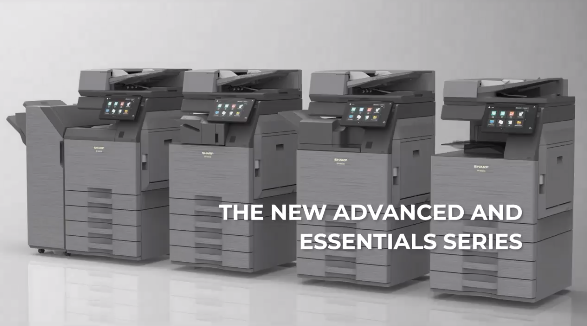
Sharp has just posted a teaser on LinkedIn of the new models that should be dropping within the next few months. More details were promised soon in the teaser, but from what we can see there are a few standout features that have changed from the previous series. The...
by admin | Mar 14, 2022 | sharp, troubleshoot
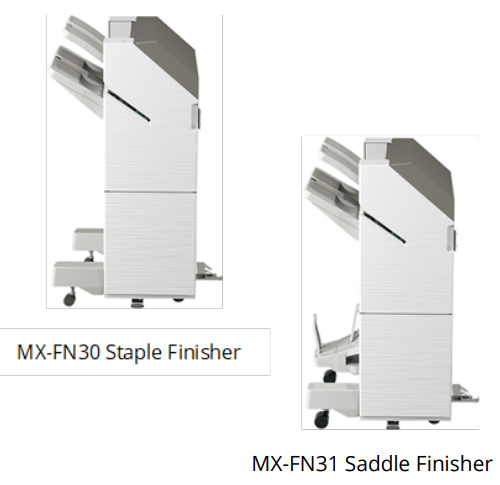
As part of our ongoing effort to meet the evolving needs of today’s business marketplace, Sharp is upgrading two of the finishers for the MX-M905 Monochrome Document System. The current MX-FN24 and MX-FN25 finishers are being replaced by the MX-FN30 staple finisher...

by admin | May 3, 2021 | howto, sharp, troubleshoot
Make the most of your copier by learning the basic functions that come standard in every Sharp copier. Stapling is the only optional feature explained in this video. Your Sharp will do everything else right out of the box. If your copier’s touch screen...
by admin | May 3, 2021 | howto, sharp, sharp scanner
When setting up your copier to print, or to change settings via the embedded web GUI, you’ll need the IP address of your Sharp copier. Watch the video above for a couple of different methods to view and/or print your copier’s network configuration page...
by admin | Feb 25, 2021 | sharp
Available Firmware update enables users to release their Print Hold jobs by simply swiping their ID card Sharp remains committed to keeping your work environment safe and sanitary by supporting features to help employees safely and hygienically operate shared...
