by admin | Apr 4, 2022 | Houston
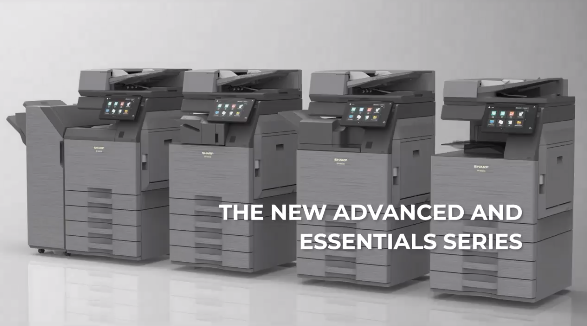
Sharp has just posted a teaser on LinkedIn of the new models that should be dropping within the next few months. More details were promised soon in the teaser, but from what we can see there are a few standout features that have changed from the previous series. The...
by admin | Mar 14, 2022 | sharp, troubleshoot
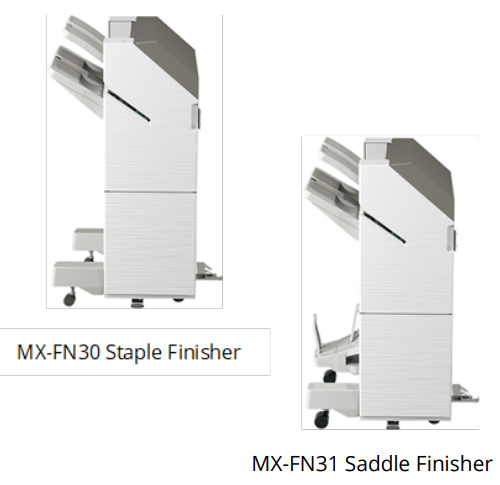
As part of our ongoing effort to meet the evolving needs of today’s business marketplace, Sharp is upgrading two of the finishers for the MX-M905 Monochrome Document System. The current MX-FN24 and MX-FN25 finishers are being replaced by the MX-FN30 staple finisher...

by admin | Feb 7, 2022 | howto, sharp, sharp printer
Sharp continues to enhance workflow features on our best-selling models to ensure best user experience As part of our ongoing efforts to provide dealers with the latest MFP technology, we are excited to announce two new features available for Sharp Advanced and...
by admin | Jan 20, 2022 | sharp
Recently, a security vulnerability in an open-source library called Log4J2 was made public on December 9, 2021. The Log4J2 library is a logging framework widely deployed within many Java-based applications. If the vulnerability is exploited, malicious intruders can...
by admin | Jan 18, 2022 | sharp
New versions of A3 and select A4 Workgroup MFPs mitigate global chip shortage enabling dealers to fulfill orders! As part of Sharp’s ongoing efforts to ensure enhanced product availability during the global chip shortage, Sharp has made strategic manufacturing...
